Vibe Coding vs No-Code for Business Software
Use an existing setting first. Use no-code configuration when the platform’s supported building blocks fit. Consider an AI-assisted code change when you need behaviour those controls do not provide.
They change different things
| Approach | What you change | What to check |
|---|---|---|
| Product settings | A control the software already provides. | Whether the setting applies to you, the account or existing records. |
| No-code / low-code | Forms, rules and workflows using a platform’s supported tools. | Supported operations, permissions, limits and ongoing platform costs. |
| AI-assisted coding | Application source code generated or edited with AI assistance. | Correctness, data safety, compatibility, ownership and maintenance. |
The categories overlap. A no-code platform may use AI, and low-code tools can be extended with conventional code. Microsoft describes a continuum of configuration and development, rather than a single approach for every task.
Apply it to a scheduling request
Changing a teacher’s existing department is a data or settings task. Asking for a new Settings control that lets your team manage a presentation rule is a software-change request. A reusable control can be better value than asking someone to make the same cosmetic adjustment repeatedly.
A new business process, such as booking requests routed to a manager for approval, is a larger functional requirement. It needs defined roles, states and failure behaviour. It is not equivalent to renaming a label, whichever tool writes the code.
What this means in Shuffaroo
Shuffaroo is a scheduling product with managed customisations, not a general no-code app builder. Use the controls already in your workspace. If something is missing, send the intended outcome and an example through its customisation form. Staff requests go to their account superuser; the superuser sends requests to Shuffaroo.
We check the requested change against your existing version. Standard Studio and School have different workflows; a request does not silently convert one product into the other. Paid customisations and optional packages remain coming soon.
Choose by the result, not the label
Ask who maintains the result, who can edit it, how it is tested and how it can be reversed. Neither “no-code” nor “AI” answers those questions. The useful choice is the simplest maintainable route that actually solves your team’s problem.
See what you can already control in Settings
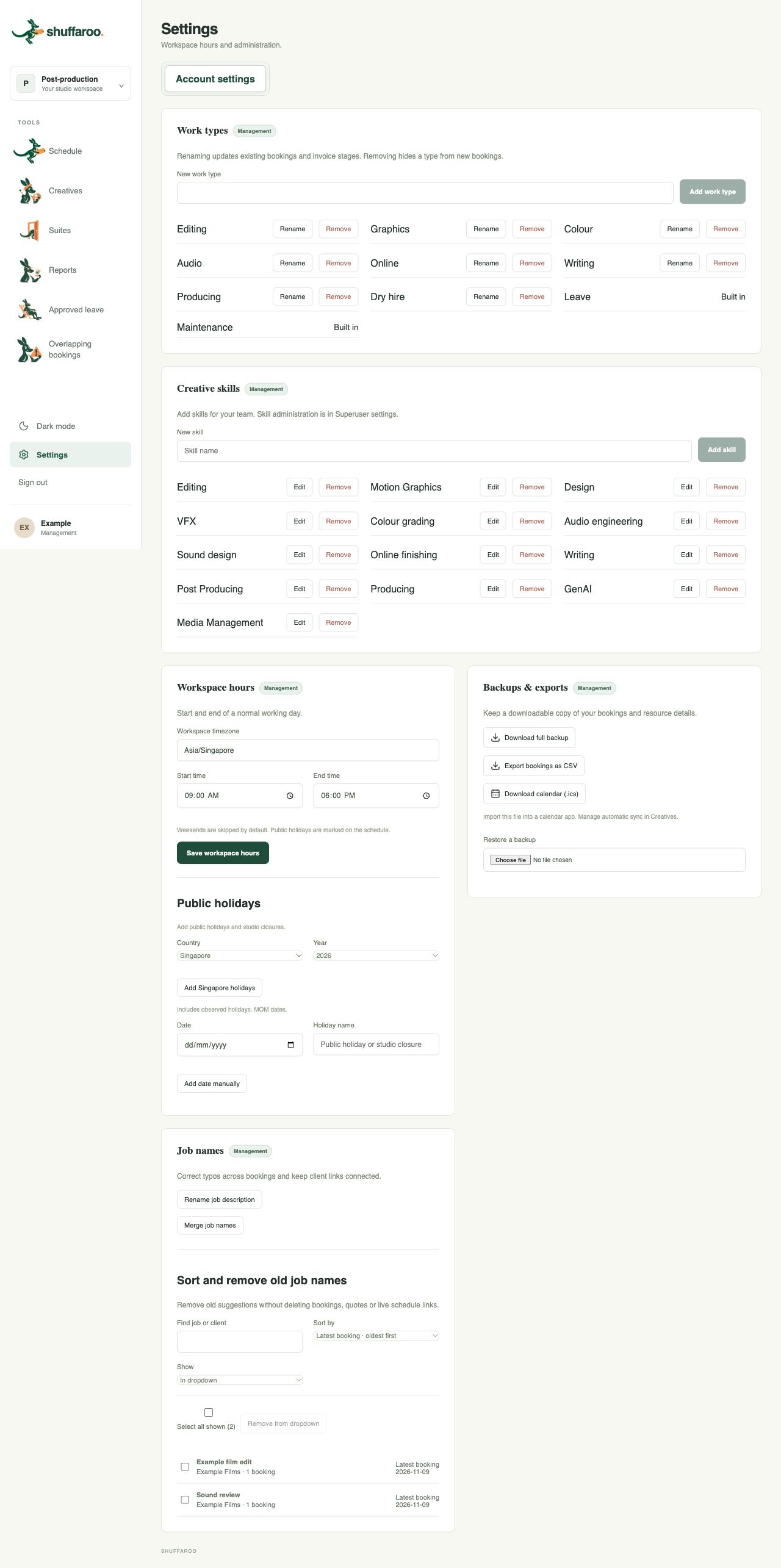
These are actual Studio and School screens with fictional data. They show existing product settings, not a no-code app builder. Scroll inside each screenshot to inspect its controls.
Studio: manage existing work types
Work types has Add work type, Rename and Remove controls. Management access is required.
School: set your lesson periods and breaks
School timetable settings contains teaching days, term dates, lesson periods and breaks. Changes use Save school timetable settings.
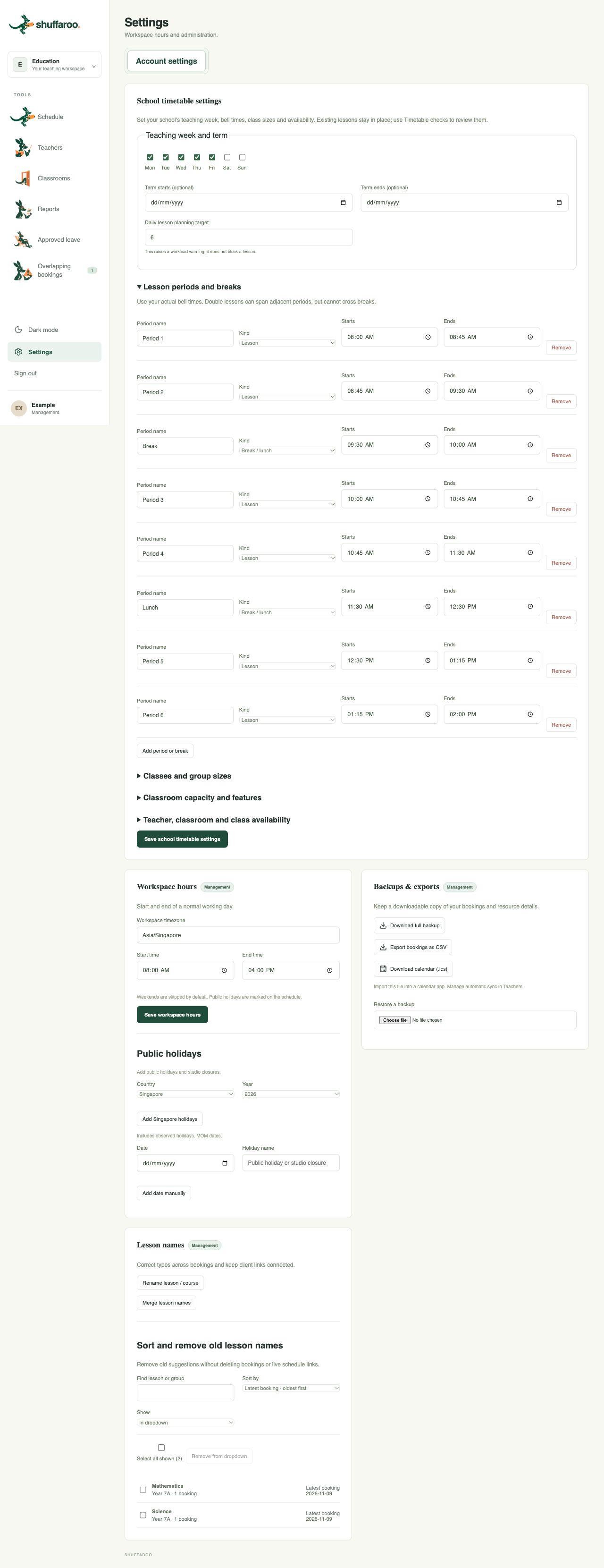
Use these existing controls when they solve the problem. A new control or workflow requires a separate software change; there is no general no-code builder inside Shuffaroo. Your installed version and access determine which controls are available.
Try it with your own schedule
Start free with up to 10 people and 10 resources. No card or setup fee. Paid plans and optional add-ons are coming soon.
Start free ↗Related practical guides
Written by Shuffaroo. Follow the visual Studio user manual for the actual controls. Available features depend on your installed version and access.
Find the controls in the app
Use the actual screen captures for quick rollover help, then click a control for its instructions.
Studio visual guide & user manual → · School visual guide & user manual →