Find the work
Type a job, client, creative, work type or room. Choose a suggestion to focus the schedule.
See search in the visual guide →Studio scheduling guide
One booking. The right person. The right room.
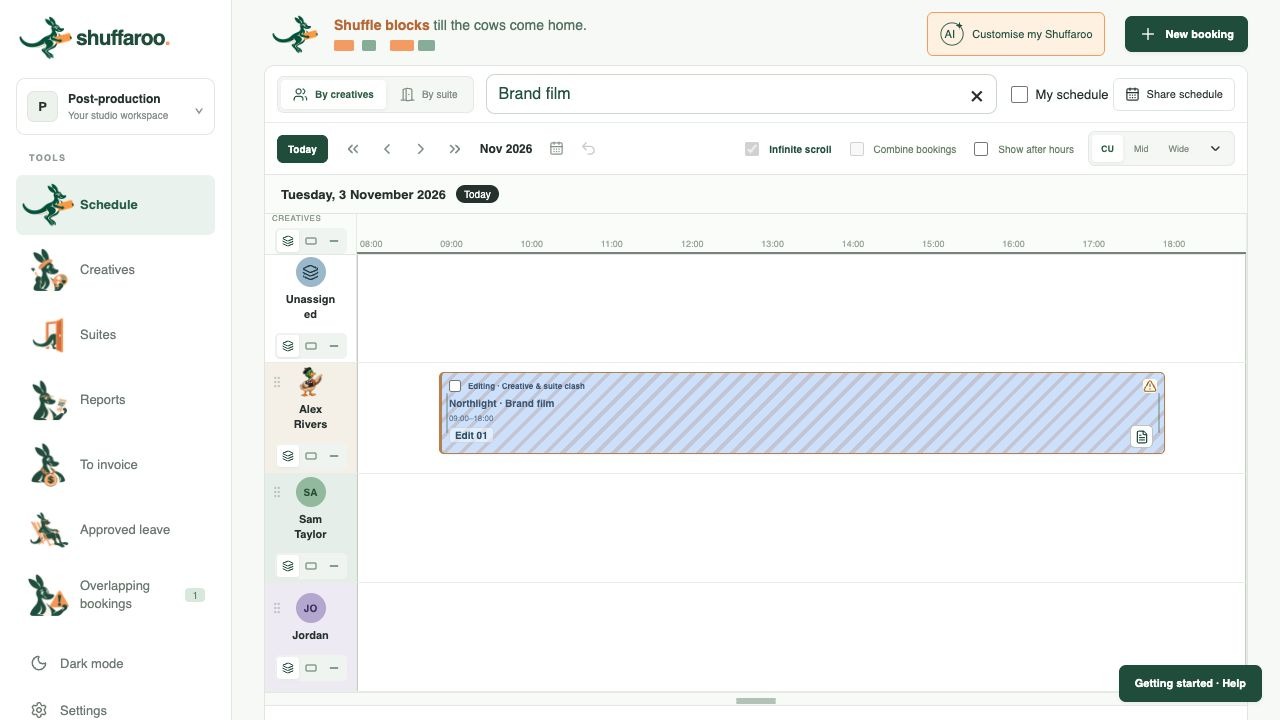
By creatives puts the person first. The booking keeps its room and session time with it.
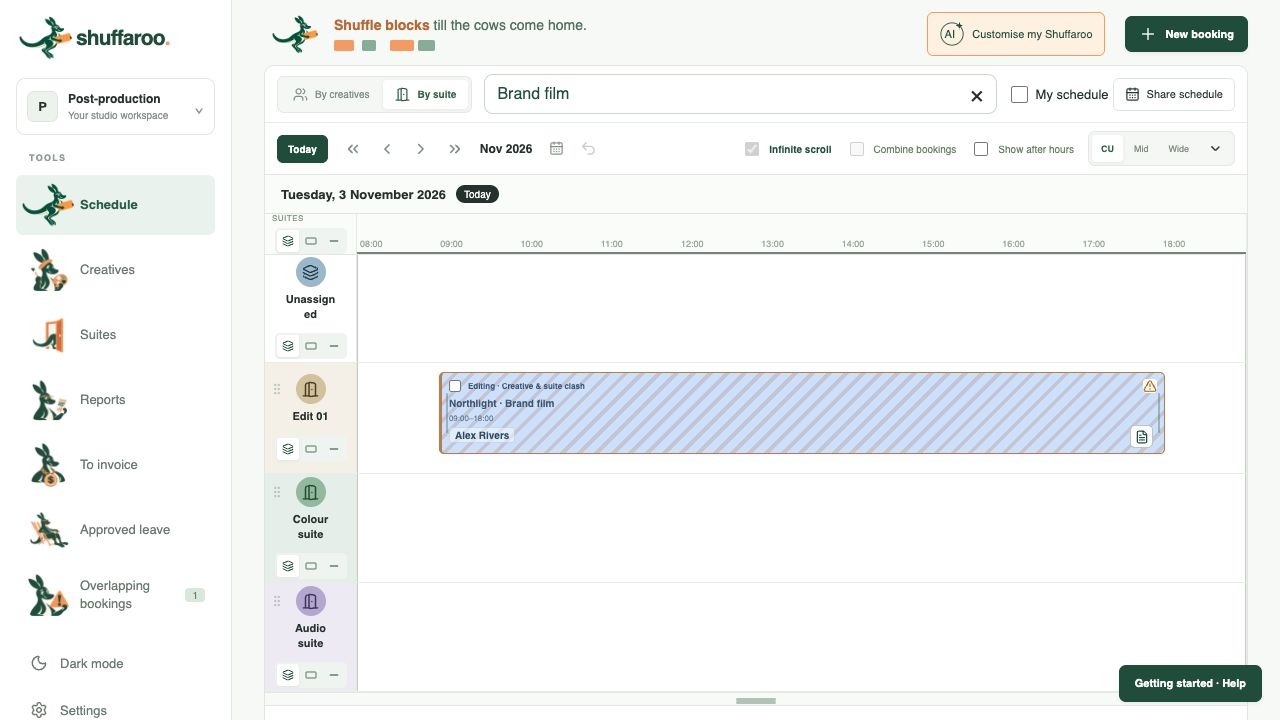
Switch to By suite. The same booking now sits against the room, with its assigned creative.
Actual app captures · fictional names and bookings. Hover or tap a highlighted area to open the matching visual-manual instructions.
Type a job, client, creative, work type or room. Choose a suggestion to focus the schedule.
See search in the visual guide →Striped bookings flag overlaps. Check people and room availability before confirming a session.
See clash checks →Use Combine bookings for connected daily sessions. Daily times stay attached to the work.
See connected bookings →Start free with 10 people and 10 resources. No card required. Paid plans and add-ons are coming soon.
Create a free Studio workspace ↗Open the visual user guide →Start free ↗Use the actual screen captures for quick rollover help, then click a control for its instructions.
Start a paid subscription in our first 30 days and choose one eligible add-on free—yours to keep.
For launch-email subscribers. One compatible one-time add-on per new paid subscription. Resource expansion and customisation packs excluded. The 30-day window starts when paid plans launch, not when you join this list.