Studio · School · Getting started
Changing scheduling software shouldn’t mean starting from scratch.
The spreadsheet already exists. The names are in it. The rooms and resources are there too. Moving to a connected schedule shouldn’t mean spending your first afternoon typing them all in again.
Migration can feel like another job before the real work begins: tidying columns, deciding who needs access, and worrying about what will happen to the information you already have. Shuffaroo offers assisted migration of your users and resources for 1 of your available customisations, with turnaround from one business day.
The same records, before and after
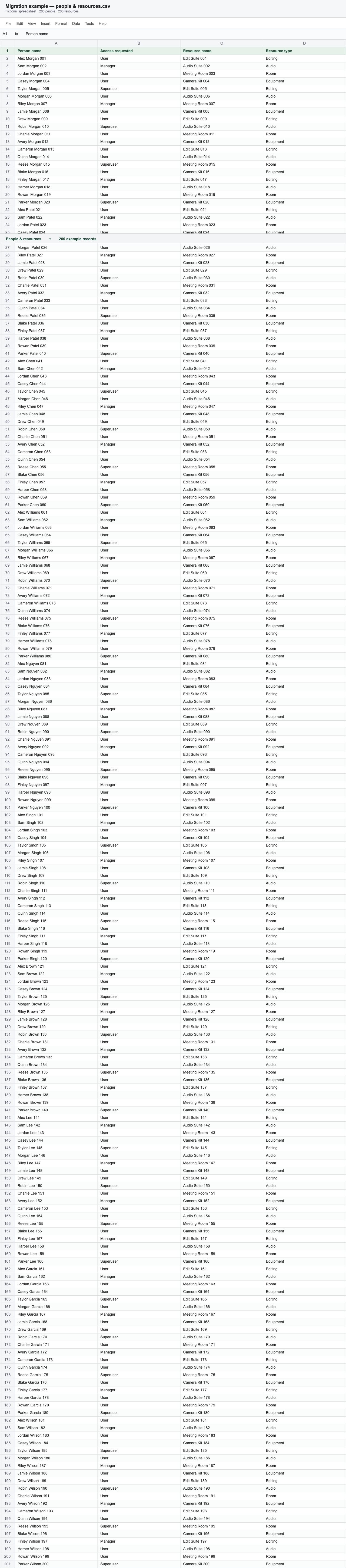
200 people. 200 resources. One move.
A long spreadsheet becomes populated People and Resources screens in Shuffaroo. The spreadsheet contains the full list. Shuffaroo’s compact view shows 20 entries at a time, with sorting and page controls.
Check
Load
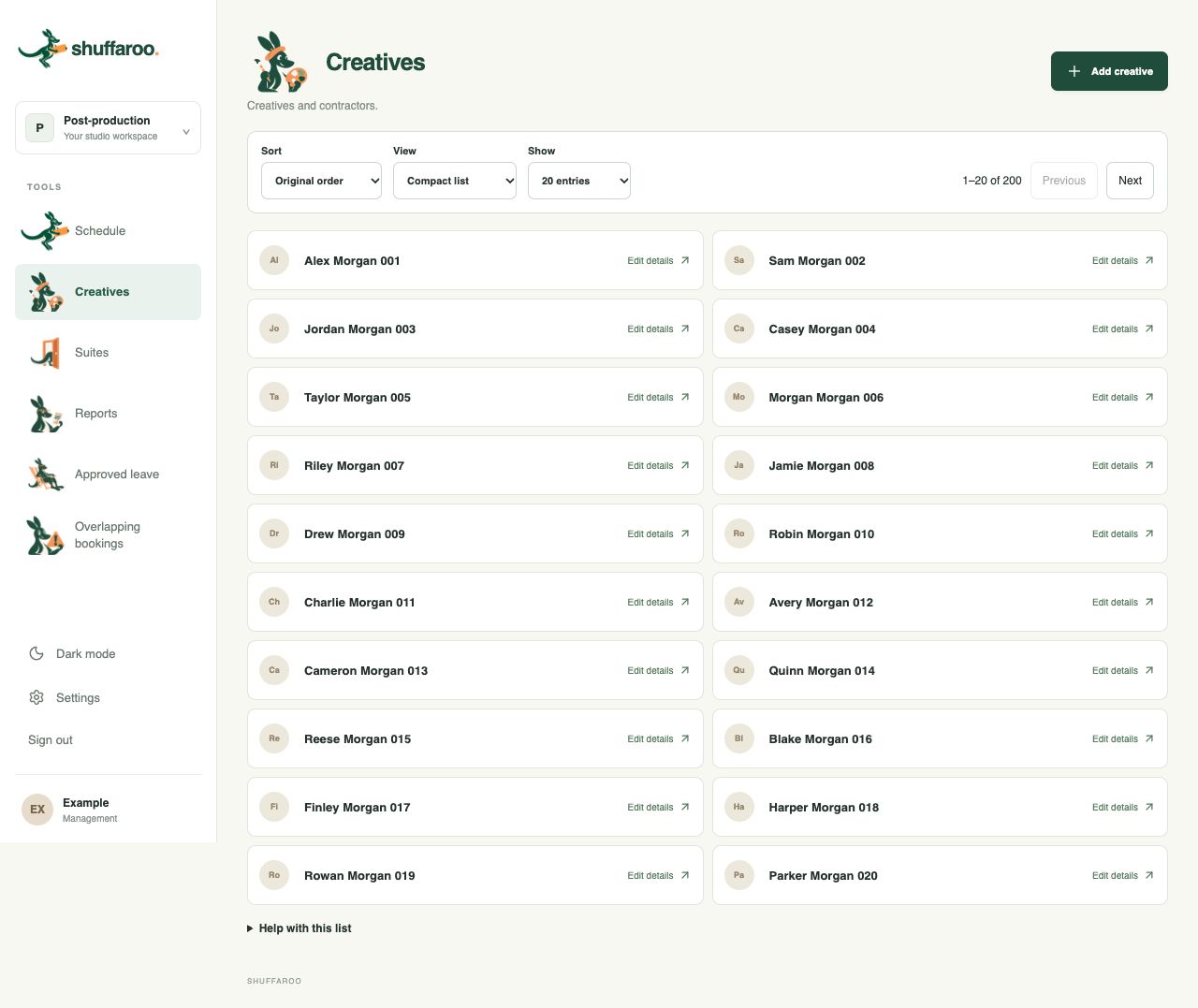
Fictional example: the spreadsheet is a captured demonstration sheet; the populated screens are captured from the actual Shuffaroo interface with the same 200-record dataset. Shuffaroo captures show 1–20 of 200 in the new compact view; use Sort, View and Show in your workspace to change the presentation. AI assists preparation; we review access and loading. Example volume does not change your plan’s people or resource limits.
Find a name without scrolling through every record
In People or Resources, sort names A–Z or Z–A, choose Compact list or Detailed cards, and show 10, 20, 50 or all entries. Previous and Next move between pages. Open an entry to use its usual details and edit controls. The records stay the same; these choices change how the list is displayed.
Use the spreadsheet you already have
A list of users and resources gives us a starting point. Include the people’s names, the names of rooms or equipment, and who should have User, Manager or Superuser access. For people who need to sign in, we’ll also confirm the necessary account details. Never send passwords.
In a studio, that might mean your creatives, contractors, edit suites and audio rooms. In a school, it could be teachers, classrooms and shared resources. We’ll review how your list fits your version of Shuffaroo, including any existing records and the capacity of your plan.
Keep the decisions that matter with you
Two similar names are not permission to merge people. A resource name doesn’t tell us who should manage it. And someone appearing in a schedule doesn’t automatically mean they need a login. We clarify those details with your account owner before making changes.
Your existing bookings and customisations matter too. A migration into an established workspace needs a compatible plan that preserves its records. We prepare a recoverable copy before changes and check the saved result afterwards.
What does migration cost—and how long does it take?
The standard users-and-resources migration uses one available customisation. Tell us you want to use it for migration when you contact us. We’ll check the spreadsheet, confirm access choices and agree the completion date. Turnaround starts from one business day, depending on the reviewed work.
Already have bookings, a complete timetable or information from several systems to move? Let us review it first so the scope and any different requirements are clear before you commit. There’s no need to rebuild your list into a compulsory template just to ask.
See where your information will live
Explore the Studio people screen and Studio resources screen, or the School teachers screen and School classrooms screen. The visual manuals explain the actual controls and how to use them.
Bring your list. We’ll help with the move.
Migration for 1 customisation. From one business day. Start with your existing spreadsheet of users and resources.
Ask us about migration ↗Start your Shuffaroo free → · Migration service details · All guides